
Stop Re-watching! How to Convert Interview Video to Text
William Davis | Updated on 2025-12-17
You just finished a killer interview, and the insights are pure gold, but now you’re staring at a two-hour video file with a heavy sigh. Do you really want to spend your entire afternoon hitting the backspace key? No way. Learning how to convert interview video to text shouldn't feel like a grueling gym session. It’s time to stop the manual struggle and let technology do the heavy lifting for you. Trust me, your fingers will thank you.
Contents
Why You Should Stop Manual Transcribing Right Now
We’ve all been there, stuck in the "pause and type" loop. It’s a total productivity killer that drains your energy. Did you know it usually takes about four hours to manually transcribe just one hour of video? That’s time you could spend actually analyzing the data or, you know, grabbing a life. When you decide to convert interview video to text, you aren't just saving your hands from cramping. You’re making your content searchable. Imagine hitting Ctrl+F to find that exact quote about "market trends" instead of scrubbing through a timeline for twenty minutes. Isn't your time worth more than that?
The Ultimate Guide: How to Convert Interview Video to Text Faster
So, how do you actually do it without losing your mind? First, you need a clean file. Background noise is the ultimate enemy of any interview video to text software. If your audio is crunchy, your transcript will be a mess. Once your file is ready, you pick an AI-powered tool. These bots have gotten scary good lately. You upload the file, grab a coffee, and by the time you’re back, the text is waiting for you. But don't just trust the machine blindly. Always do a quick "sanity check" to fix any weird brand names or industry jargon the AI might have tripped over.
Pro Tip: Use Beeconverter to Polish Your Raw Footage
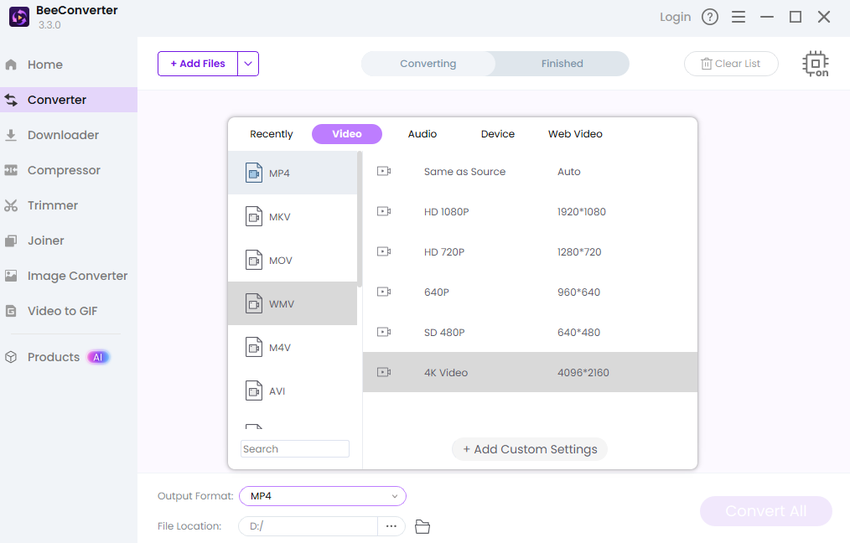
Before you even think about the text, let’s talk about your video file. Is it a massive 4K file that’s taking forever to upload? Or maybe it’s in a weird format that your transcription tool refuses to open? This is where Beeconverter saves the day. It’s my go-to for prepping interview footage. You can quickly switch formats, like turning a heavy MOV into a lightweight MP4, to speed things up. If your file is too bulky, its compression feature shrinks the size without making the video look like it was filmed on a potato. It even handles basic video editing, so you can snip out the awkward "can you hear me?" silences at the start before you convert interview video to text.
Beyond the Script: Unlock Insights with AI Summarization
Once you have your full transcript, you might realize you have twenty pages of text. Who has time to read all that? If you’ve uploaded your interview to a private link or YouTube, you should definitely check out the YTB YouTube Video Summarizer. It’s a brilliant AI Summarize tool that cuts through the fluff. It grabs the main points and gives you a neat summary in seconds. It’s like having a personal assistant who watched the whole thing and gave you the "too long; didn't read" version. It’s the perfect companion for anyone who needs to convert interview video to text but also needs immediate action items.
Common Pitfalls to Avoid During Video-to-Text Conversion
Don't fall into the trap of ignoring speaker labels. If you have three people talking and the text doesn't show who said what, your transcript is basically a puzzle. Most modern interview video to text tools can identify different voices, so make sure that feature is turned on. Also, watch out for privacy. Interviews often contain sensitive info. Make sure the platform you use has solid encryption. You don't want your private business strategy floating around in the cloud because you picked a sketchy free site.
Conclusion: Efficiency is the Name of the Game
At the end of the day, your goal is to spend less time on the "how" and more time on the "what." Knowing how to convert interview video to text is about freeing up your brainpower for the creative stuff. Use tools like Beeconverter to get your files in shape and AI summaries to digest the info fast. Why work harder when you can work smarter? Now, go turn those hours of video into useful, searchable text and reclaim your afternoon!