
MP3 to DOCX Online Converter
Convert MP3 to DOCX file online for free
- 99% positive user reviews
- Ultra-high recognition accuracy
- Supports 100+ languages
- Privacy and Security
How to Convert MP3 to Word Online?
-
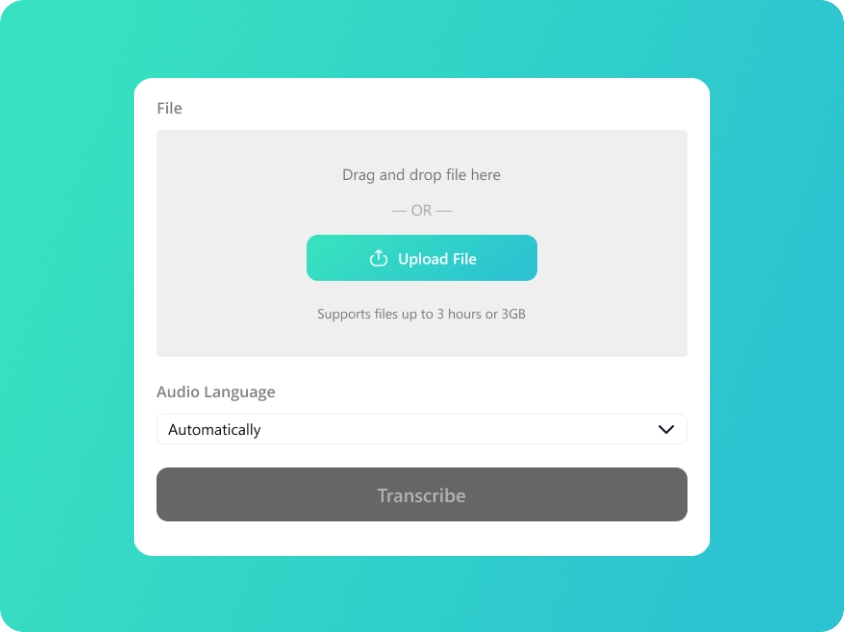
Upload Your MP3
Upload or drag and drop your MP3 files; we also support audio in WAV/M4A/AAC format.
-
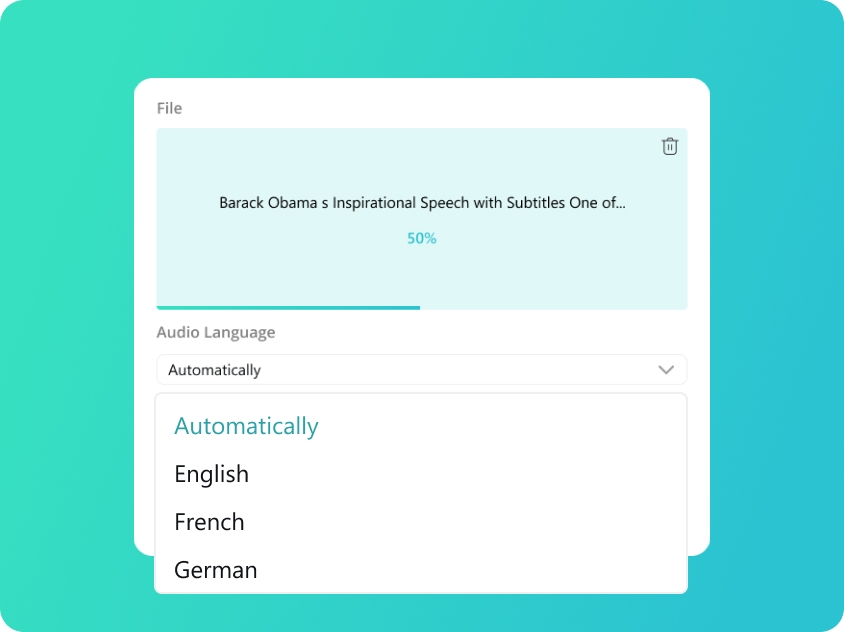
Select Audio Language
We will automatically detect your audio language. You can also manually select from 100 supported languages for better accuracy.
-
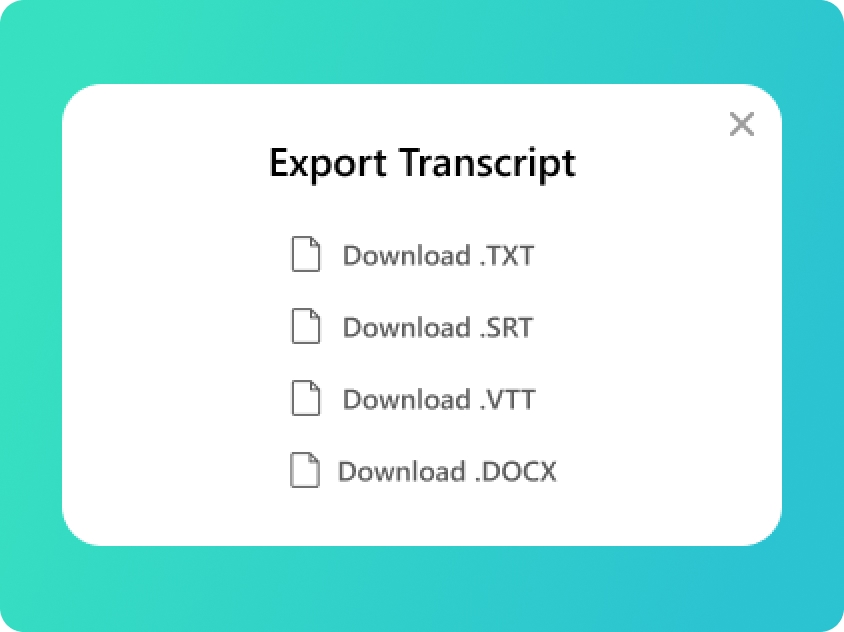
Convert MP3 to DOCX
You will get your transcript in minutes. Check the text and export to DOCX file or SRT, TXT, VTT if you need.
Upload Your MP3
Upload or drag and drop your MP3 files; we also support audio in WAV/M4A/AAC format.
Select Audio Language
We will automatically detect your audio language. You can also manually select from 100 supported languages for better accuracy.
Convert MP3 to DOCX
You will get your transcript in minutes. Check the text and export to DOCX file or SRT, TXT, VTT if you need.
Turn Your MP3 to Documents with Powerful AI
-
The Most Reliable MP3 to DOCX Converter
Don't waste hours typing. Our MP3 to DOCX converter is designed to handle interviews, podcasts, and lectures with ease. It is the most efficient way to convert MP3 to DOCX, providing you with a clean, well-structured document that is ready for editing, formatting, or publishing.
-
Convert MP3 to DOCX Online Free and Fast
Experience the power of cloud-based transcription. Our MP3 to DOCX online free platform allows you to upload and transcribe your audio in seconds. By choosing to convert MP3 to DOCX with our AI engine, you bypass the need for expensive software and get a professional-grade MP3 to DOCX file instantly.
-
Superior Accuracy in Every MP3 to DOCX File
Our AI is trained on diverse accents and technical terminologies to ensure your MP3 to DOCX output is highly accurate. Whether it’s a legal deposition or a corporate meeting, this MP3 to DOCX converter delivers text that requires minimal correction, saving you time and effort in your documentation workflow.
-
Secure and Private MP3 to DOCX Online Processing
We prioritize the confidentiality of your transcriptions. When you use our MP3 to DOCX online service, all data is protected by industry-standard encryption. Once you convert MP3 to DOCX, your original audio and the generated document are automatically purged from our servers, ensuring your sensitive information stays private.
Transcript Your Audio into Multiple Formats
-
TXT (Plain Text)
The ultimate versatile format. TXT files provide clean, unformatted text that is perfect for quick reading, copy-pasting into emails, or archiving raw notes without any compatibility issues.
-
SRT (SubRip Subtitle)
The industry standard for subtitles. SRT files include precise timecodes, making them the go-to choice for adding captions to social media videos, YouTube, and professional video editing software.
-
VTT (WebVTT)
Optimized for the modern web. VTT is the preferred format for HTML5 video players and web-based media, offering advanced features for displaying captions and subtitles across websites and online platforms.
-
DOCX (Microsoft Word)
Built for professional editing. Export to DOCX when you need to further polish, format, or highlight your transcripts. It’s ideal for formal meeting minutes, academic essays, and detailed interview reports.
Frequently Asked Questions about MP3 to DOCX
-
How do I convert MP3 to Word for free?
The easiest way to convert MP3 to word is use AI MP3 to DOCX converter. Our MP3 to DOCX converter will analyze speech and generate a high-quality Word document. This is the fastest method to convert MP3 to DOCX while maintaining the original context and clarity of your recording.
-
Can I convert MP3 to a different format besides DOCX?
Yes, our MP3 to DOCX converter is highly versatile. We also support a wide range of other formats. You can use our AI to generate an MP3 to VTT or MP3 to SRT file if you need subtitles, or simply convert MP3 to TXT for a plain text summary. Our MP3 to DOCX converter is part of a comprehensive suite designed to handle all your audio-to-text needs.
-
What is the difference between MP3 to DOCX and MP3 to TXT?
When you convert MP3 to DOCX, you get a file that supports advanced formatting, such as bold text, headers, and organized paragraphs. An MP3 to DOCX file is superior to a plain TXT file because it is ready for professional submission or detailed editing in Microsoft Word. Using our MP3 to DOCX converter ensures your transcription looks professional from the start.
-
Is my data safe when I convert MP3 to DOCX?
Your privacy is our mission. Every time you convert MP3 to DOCX, your session is encrypted. We do not store your files; both your audio and the MP3 to DOCX document are deleted from our system immediately after your download is complete. It’s a safe and secure way to handle your MP3 to DOCX online needs.
Rate Us Now!
If you like our MP3 to DOCX Converter, please give us 5 stars.
1.2K reviews
Last updated: 2026-06-07