
WAV to TXT Converter Online
Convert WAV to TXT online for free with expert accuracy
- 99% positive user reviews
- Ultra-high recognition accuracy
- Supports 100+ languages
- Privacy and Security
How to Convert WAV to TXT for Free?
-
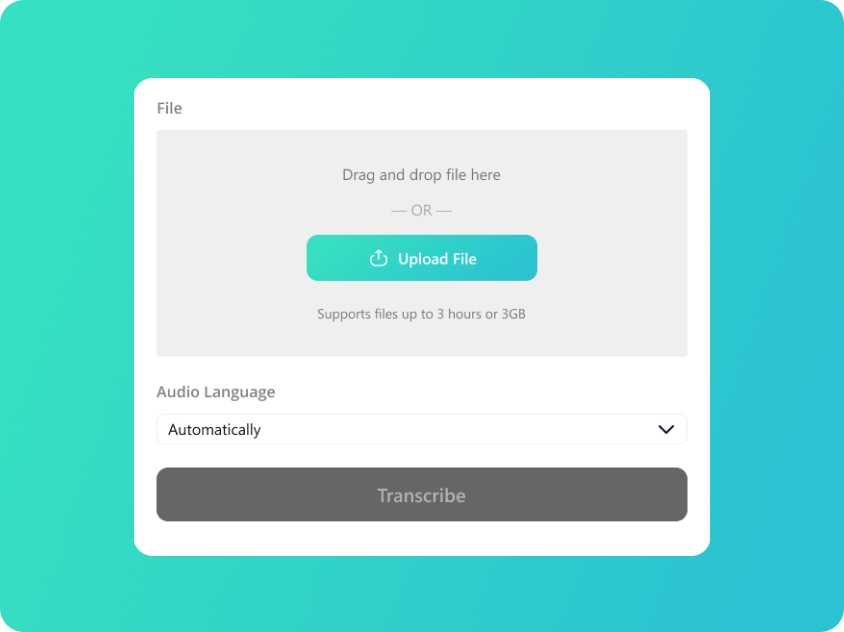
Upload Your WAV
Upload or drag and drop your WAV files; we also support audio in MP3/M4A/AAC format.
-
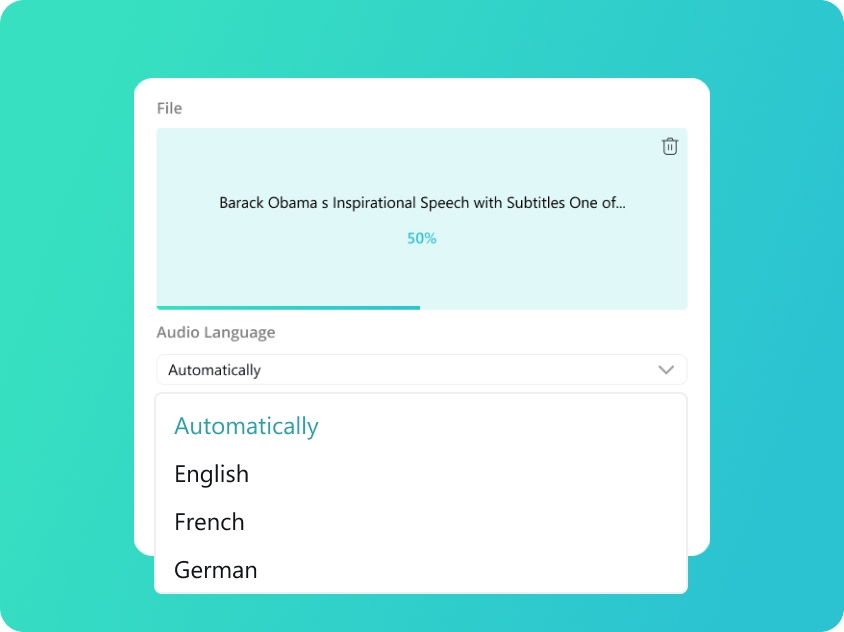
Select Audio Language
We will automatically detect your audio language. You can also manually select from 100 supported languages for better accuracy.
-
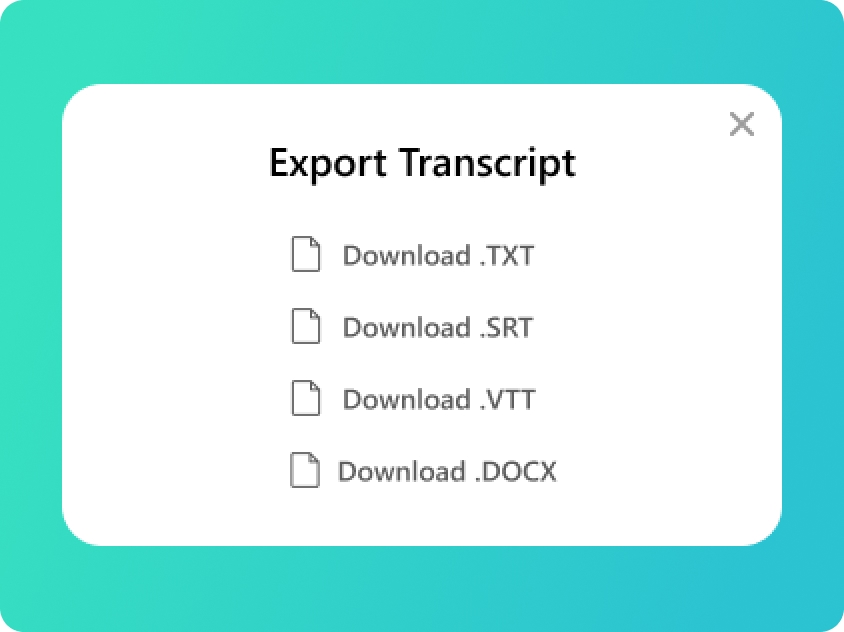
Convert WAV to TXT
You will get your transcript in minutes. Check the text and export to TXT file or SRT, VTT, DOCX if you need.
Upload Your WAV
Upload or drag and drop your WAV files; we also support audio in MP3/M4A/AAC format.
Select Audio Language
We will automatically detect your audio language. You can also manually select from 100 supported languages for better accuracy.
Convert WAV to TXT
You will get your transcript in minutes. Check the text and export to TXT file or SRT, VTT, DOCX if you need.
Core Advantages of WAV to TXT Converter
-
Superior Transcription Accuracy
WAV files often contain high-quality, uncompressed audio. Our WAV to TXT converter is specifically tuned to capture every detail of these recordings. By analyzing the rich data in your audio, we ensure that when you convert WAV to TXT, the resulting text is as precise and error-free as possible.
-
Reliable WAV to TXT Online Platform
Experience a stable and fast WAV to TXT online service directly in your browser. Our WAV to TXT converter online is optimized to handle individual high-bitrate files without compromising speed. Simply upload your audio and receive a clean WAV to TXT file in seconds, no matter where you are.
-
Multi-Format Export Options
We provide more than just a standard WAV to TXT file converter. Once your transcription is complete, you can choose to download your file in various professional formats including SRT, VTT, or DOCX. This flexibility ensures that your WAV to TXT workflow meets all your subtitling or documentation needs.
-
Safe, Private & Free to Use
Our WAV to TXT converter free tool prioritizes your data security. Every WAV to TXT file you upload is processed through an encrypted connection and is automatically deleted from our servers after the task is finished. It’s the most secure way to how to convert WAV to TXT without any cost.
Transcript Your Audio into Multiple Formats
-
TXT (Plain Text)
The ultimate versatile format. TXT files provide clean, unformatted text that is perfect for quick reading, copy-pasting into emails, or archiving raw notes without any compatibility issues.
-
SRT (SubRip Subtitle)
The industry standard for subtitles. SRT files include precise timecodes, making them the go-to choice for adding captions to social media videos, YouTube, and professional video editing software.
-
VTT (WebVTT)
Optimized for the modern web. VTT is the preferred format for HTML5 video players and web-based media, offering advanced features for displaying captions and subtitles across websites and online platforms.
-
DOCX (Microsoft Word)
Built for professional editing. Export to DOCX when you need to further polish, format, or highlight your transcripts. It’s ideal for formal meeting minutes, academic essays, and detailed interview reports.
Frequently Asked Questions about WAV to TXT
-
How to convert WAV to TXT for free with high accuracy?
Using our WAV to TXT converter free tool is the most efficient way to get precise results. Since WAV files are uncompressed, our AI engine can capture more detail than standard formats to ensure maximum precision. Simply upload your audio to our WAV to TXT online platform, and we will convert WAV to TXT with high accuracy in just a few clicks.
-
Which is the best WAV to TXT tool for professional transcripts?
The best WAV to TXT tool is one that can handle high-bitrate audio while maintaining accuracy. Our WAV to TXT converter is specifically designed for professional use, ensuring that every WAV to TXT file is processed with advanced speech recognition technology to deliver the most reliable text output available.
-
Can I export in other formats like SRT or DOCX?
Yes, our service functions as a multi-purpose WAV to TXT file converter. After the transcription process is complete, you have the option to save WAV to TXT document, or choose from other popular formats including SRT, VTT, and DOCX.
-
Is it safe to use WAV to TXT converter for private recordings?
Data privacy is our top priority. When you use our WAV to TXT converter online, your files are protected by end-to-end encryption. Once you convert WAV to TXT, your original audio and the resulting WAV to TXT file are automatically purged from our servers to ensure your sensitive information remains confidential.
-
Does this WAV to TXT file converter support large audio files?
Our WAV to TXT online platform is optimized to handle substantial recordings, supporting files up to 2GB in size or 3 hours in duration. Please note that larger files may take more time to process.
Rate Us Now!
Show your love by giving 5 stars!
If you like our WAV to TXT Converter, please give us 5 stars.
2.1K reviews
Last updated: 2026-03-27