
Free MP3 to SRT Converter
The most reliable MP3 to VTT converter for web developers
- 99% positive user reviews
- Ultra-high recognition accuracy
- Supports 100+ languages
- Privacy and Security
How to Convert MP3 to SRT Online?
-
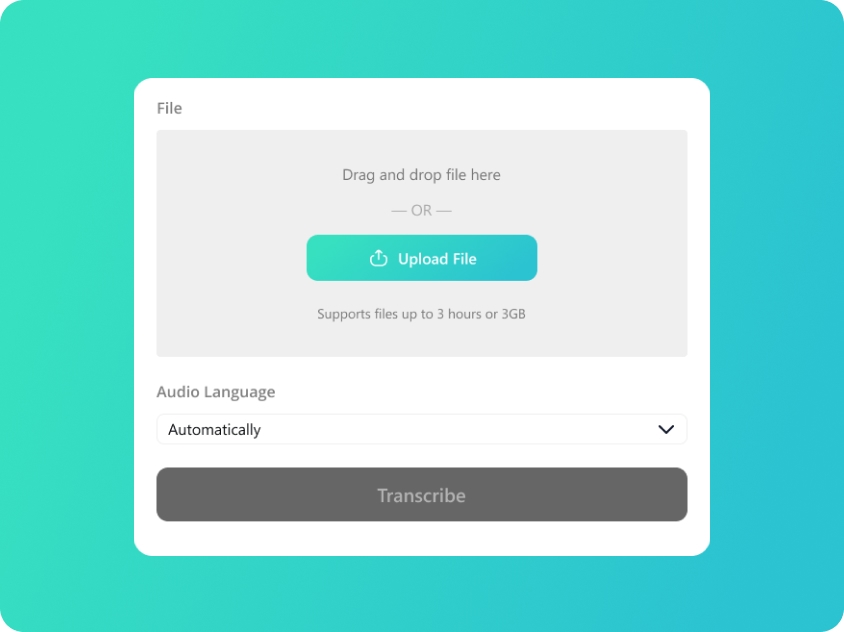
Upload Your MP3
Upload or drag and drop your MP3 files; we also support audio in WAV/M4A/AAC format.
-
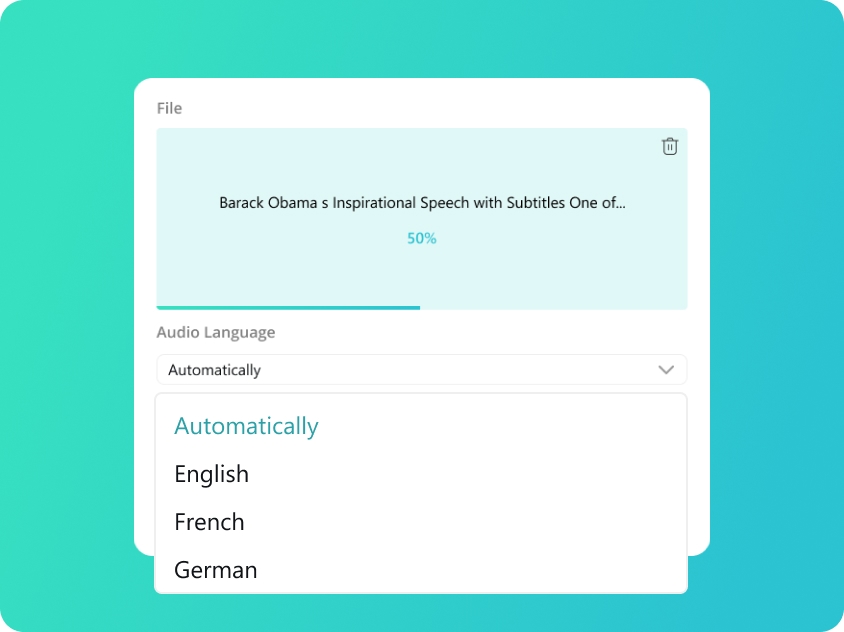
Select Audio Language
We will automatically detect your audio language. You can also manually select from 100 supported languages for better accuracy.
-
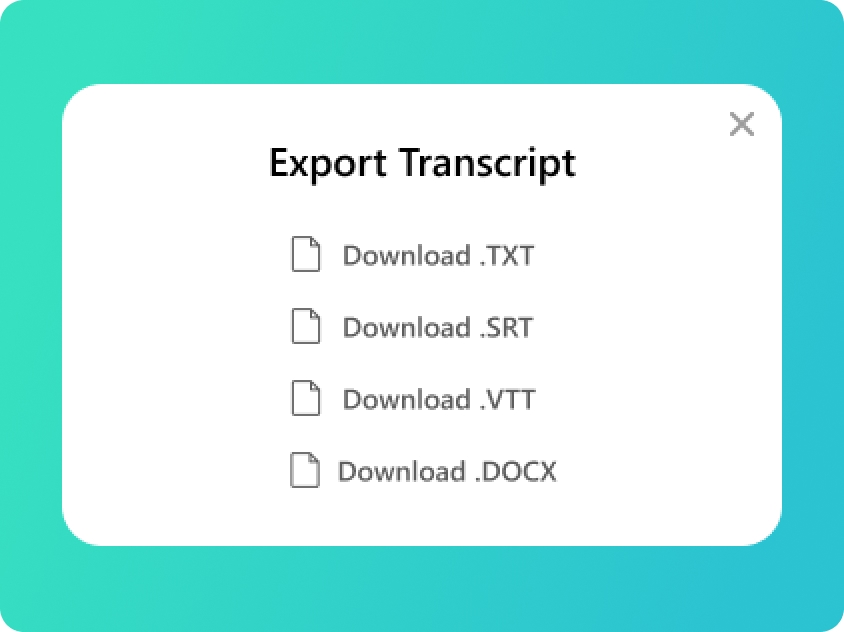
Convert MP3 to VTT
You will get your transcript in minutes. Check the text and export to VTT file or SRT, TXT, DOCX if you need.
Upload Your MP3
Upload or drag and drop your MP3 files; we also support audio in WAV/M4A/AAC format.
Select Audio Language
We will automatically detect your audio language. You can also manually select from 100 supported languages for better accuracy.
Convert MP3 to VTT
You will get your transcript in minutes. Check the text and export to VTT file or SRT, TXT, DOCX if you need.
Professional MP3 to VTT Convertion
-
Efficient MP3 to VTT Online Transcription
Skip the heavy software installations. Our MP3 to VTT online platform allows you to process your audio directly in your browser. This streamlined MP3 to VTT converter is accessible from any location, providing a fast and efficient way to convert MP3 to VTT whenever you need to generate subtitles for your web content.
-
Speed and Accuracy MP3 to VTT
Efficiency meets precision. When you convert MP3 to VTT powered by AI, our advanced speech-to-text engine processes your audio in real-time. This ensures your MP3 to VTT results are not only delivered in seconds but also feature millisecond-accurate timestamps, eliminating the need for tedious manual corrections.
-
Reliable MP3 to VTT Converter
Stability is at the heart of our service. Our MP3 to VTT converter is a reliable solution for educators, developers, and content creators who need consistent results. Whether you are processing a short clip or a long-form lecture, you can count on our AI to convert MP3 to VTT with zero downtime and total data security.
-
Support for Multiple Formats
While we offer a world-class MP3 to VTT converter online, our tool isn't limited to a single format. Our AI supports various audio and video inputs, making it the ultimate hub to convert MP3 to VTT or handle other popular extensions. This flexibility ensures your workflow remains seamless, regardless of your source file.
Transcript Your Audio into Multiple Formats
-
TXT (Plain Text)
The ultimate versatile format. TXT files provide clean, unformatted text that is perfect for quick reading, copy-pasting into emails, or archiving raw notes without any compatibility issues.
-
SRT (SubRip Subtitle)
The industry standard for subtitles. SRT files include precise timecodes, making them the go-to choice for adding captions to social media videos, YouTube, and professional video editing software.
-
VTT (WebVTT)
Optimized for the modern web. VTT is the preferred format for HTML5 video players and web-based media, offering advanced features for displaying captions and subtitles across websites and online platforms.
-
DOCX (Microsoft Word)
Built for professional editing. Export to DOCX when you need to further polish, format, or highlight your transcripts. It’s ideal for formal meeting minutes, academic essays, and detailed interview reports.
Frequently Asked Questions about MP3 to VTT
-
How to convert MP3 to VTT?
To convert MP3 to VTT, the best method is to use AI-powered MP3 to SRT Converter. Simply upload your MP3 file and AI will transcribe MP3 audio to text and convert as VTT file in seconds.
-
Is this MP3 to VTT converter compatible with HTML5 web players?
Yes, our MP3 to VTT converter online produces industry-standard VTT files that are fully compatible with HTML5 <track> elements. Once you convert MP3 to VTT, you can use the resulting file on any website, CMS, or online video platform. It is the most reliable way to convert MP3 to VTT for developers who need to meet web accessibility standards.
-
Can I use the MP3 to VTT online tool on any device?
Absolutely. Our MP3 to VTT converter online works perfectly across all operating systems, including Windows, macOS, Linux, and mobile browsers. There is no software to install; you can convert MP3 to VTT anytime, anywhere, making it the ideal MP3 to VTT free resource for creators on the go.
Rate Us Now!
Show your love by giving 5 stars!
If you like our MP3 to VTT Converter, please give us 5 stars.
1.4K reviews
Last updated: 2026-04-09